Change is the law of nature. It’s not necessary if a tool worked initially, it won’t turn obsolete. Thus, we switched to another tool, & here’s what we learnt.
We were working on our workflow app at Wokegenics when we hit a wall. Everything was running on Firebase. But as we grew, costs rose quickly, and real-time updates slowed down. That is when we decided to try Supabase. We wanted to see if this change could drive better performance and lower costs. Thus, we switched from. And here is what changed.
What we used before: Firebase
We loved Firebase for its real-time database, easy SDKs, and automatic scaling. It was our go-to choice for chat features and live updates. However, it came with caveats: query limits, unpredictable billing, and some lag as we crossed 5,000 users.
What we switched to: Supabase
Supabase offered Postgres under the hood, real-time subscriptions via websockets, and predictable billing. It also gave us SQL queries, row-level security, and built-in storage. We felt it might be a better long-term fit.

1. Cost Per Month
What it means: We went from hitting surprise bills to clear budgeting. It gave us space to focus on our product.
2. Response Time (Realtime Updates)
What it means: Users now see changes faster. That small speed boost made collaborative editing feel instant.
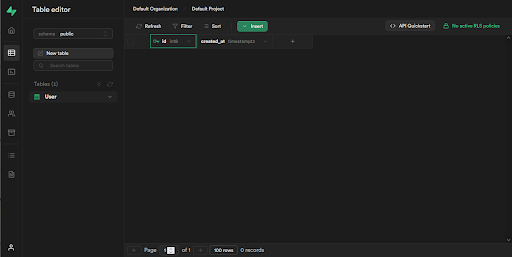
3. Developer Experience
What it means: Our team now moves twice as fast when building backend features.
4. Scalability / Errors
What it means: Less firefighting. More focus on creating useful features.

Dev experience matters as much as runtime
If a tool makes your team more productive, that is a massive win.
Switching from Firebase to Supabase, we noticed a ~60–70% drop in costs based on monthly billing summaries, and sped up real-time updates from 350ms to 120ms. Error logs fell dramatically from a few daily timeouts to one in two months, while doubling our backend productivity, as tasks that earlier took 2 hours now often take 1. That speed boost made our app feel more responsive, and users noticed. These were not just metrics; they translated to a happier team and happier users.
However, these results reflect our specific use case, app size, and traffic levels. Your results may vary based on workload and implementation.
At Wokegenics, we do not settle. We test tools, benchmark performance, and switch when something better comes along. If you are building a tech product and want help choosing the right stack or migrating with minimal risk, let us chat. We are here to help you build what both you and your users love.
References:
https://supabase.com/blog/supavisor-1-million
https://www.appsflyer.com/glossary/monthly-active-users/
https://blog.back4app.com/firebase-pricing/
https://www.reddit.com/r/Firebase/comments/1ae3cik/how_expensive_would_firebase_be_for_5000_users/
https://www.youtube.com/watch?v=VcrQidYBjEg
https://www.youtube.com/watch?v=CFc-yq_5cig
https://firebase.google.com/pricing
https://cloud.google.com/healthcare-api/pricing
https://supabase.com/docs/guides/deployment/going-into-prod
https://airbyte.com/data-engineering-resources/firebase-database-pricing