As education shifts online, digital exams and AI-based proctoring tools are becoming more common. But do they ensure fairness, or do they bring their own flaws?
Do you still get feverish dreams that your ink is over in between writing your test, or you are running late for your exam center while the gates have closed? Well, I still do. However, I guess that we are going to be the last generation to dream about these because the technology is changing how we used to experience examinations. With the shift to digital exams from pen and paper ones, students can take exams from the comfort of their homes. However, a question many students and educators are asking today that: “Is smart technology making exams better or just more stressful?” Where an invigilator is a machine, and the whole process is subjected to AI proctoring, what is the guarantee that it is not flawed but fair? This blog takes a closer look at both. Let us break it down.

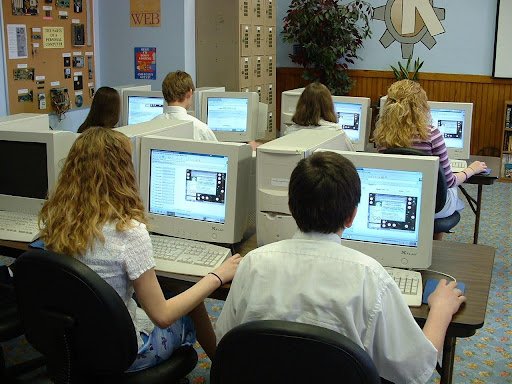
Digital exams are online tests taken through a device like a laptop or tablet. Instead of writing answers on paper, students type them in or select options on the screen. These exams are often conducted through platforms like Google Forms, Moodle, or dedicated testing apps.
Some features of digital exams include:
Students can take these exams from home or in computer labs, depending on the rules set by the institution. While this saves time and paper, it also raises one big concern: cheating. That is where AI proctoring steps in.
AI proctoring refers to the use of smart tools that keep an eye on students during online exams. It acts like a virtual invigilator. These tools watch through a student’s webcam, listen through their mic, and track screen activity to detect anything suspicious.
Here is how it usually works:
If the system finds something odd, it raises a red flag. These flags are later reviewed by human examiners or faculty members. Now the question is, do these tools always get it right?
Let us look at some of the most used AI proctoring tools and what they get right or wrong.
1. ProctorU
2. Honorlock
4. Talview
So, are these tools fair? Sometimes they are. But many times, they confuse simple actions like shifting in a chair or reading aloud as cheating. In real classrooms, these actions would go unnoticed. But in digital settings, they could trigger a warning.
Whether a tool is fair depends on how well it understands real human behavior. A fair tool:
A flawed one, on the other hand:
To truly be fair, proctoring systems need a mix of smart tech and human sense. That is where the right balance comes in.
At Wokegenics, the focus is on building tech that works with people, not against them. The idea is not just to catch mistakes but to create smoother exam experiences. From lightweight proctoring tools to dashboards that show clear reports, the tools are made to be fair, ethical, and easy to use.
Wokegenics believes exams should be stress-free and that technology should assist, not accuse. So, instead of only focusing on tracking movements, the tools also help in creating better question patterns, exam insights, and clean interfaces. That way, the student’s focus stays on learning, not worrying about every eye blink or stretch.
Digital exams are here to stay. They are quick, scalable, and save resources. AI proctoring can support fairness, but only if it is used with care. When done right, it can stop cheating. But if it lacks human context, it can hurt honest students.
To make online exams truly fair, we need tools that are smart and kind. Tools that understand real people. With thoughtful use, tech can help bring trust back into testing, without turning it into a surveillance game. Fair exams start with fair tools. And that is the future Wokegenics is helping build.
References:
https://invigilator.app/en/how-ai-powered-proctoring-is-enhancing-global-education/
https://docs.moodle.org/402/en/Quiz_activity
https://www.wired.com/story/ai-college-exam-proctors-surveillance/
https://pmc.ncbi.nlm.nih.gov/articles/PMC8407138/
https://www.youtube.com/watch?v=2Wn5EPNXbB8
https://blog.smarterservices.com/fear-of-using-ai-in-virtual-proctoring-your-institution-has-more-control-than-you-may-realize
https://en.wikipedia.org/wiki/Exam_invigilator
https://invigilator.app/en/blog/
https://invigilator.app/en/ai-revolutionising-online-proctoring-insights/
https://invigilator.app/en/how-ai-is-revolutionising-online-proctoring-in-education/